


PayNet Moldova
Payment on PayNet's secure page: bank cards, the PayNet e-wallet and MIA instant payments.
Clients pay for memberships, trainings and products in the JustDoFit app in a minute — by card or via MIA, and the money goes straight to your club's bank account.
Accept payments with




From choosing a service to receiving the money — no front desk involved
A membership, training, freeze or product — right in the JustDoFit app.
With a Visa or Mastercard card, the PayNet wallet or an MIA QR code on the payment system's secure page.
The payment is credited to the club's account under its own contract with the payment system — no middlemen.
The membership or order is activated as soon as the payment is confirmed, and the payment shows up in the CRM.
All the club's main sales are available online
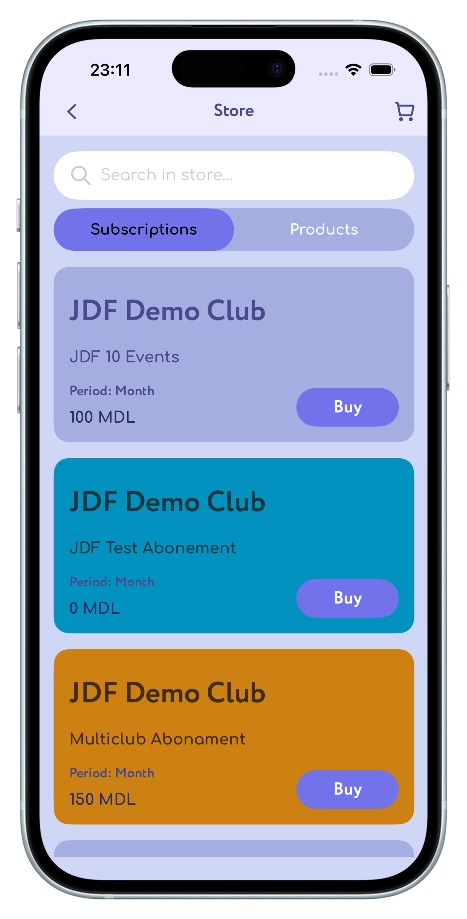
Buying memberships, including ones valid in several clubs of the network.
Paying for group and personal trainings right when booking from the schedule.
A paid freeze is requested and paid for without visiting the club.
Sports nutrition, drinks and club merchandise paid online.
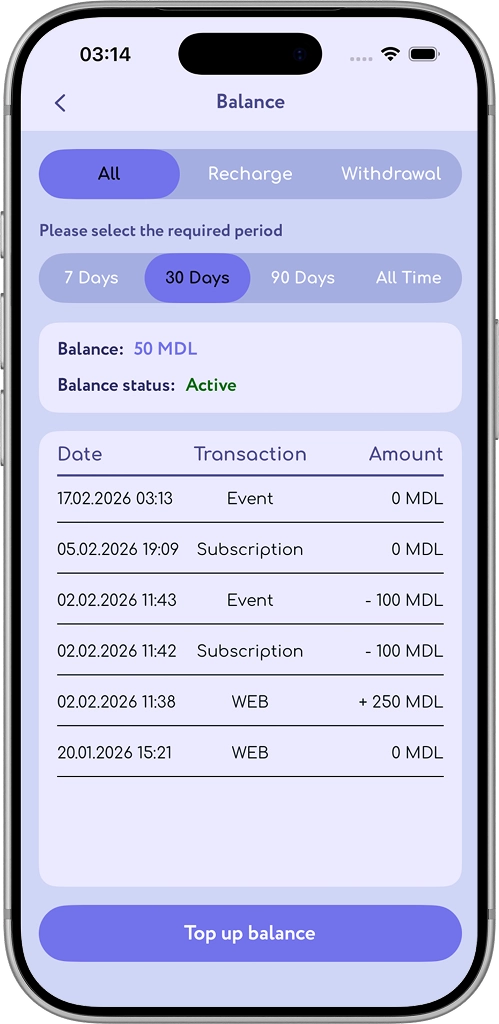
The client tops up their club balance and pays for services from it in one tap.
More sales and less routine at the front desk
The contract with the payment system is signed in the club's name, so payments reach your account with no middlemen.
We don't take a cut of your sales — only the payment system charges its fee under your contract.
Clients buy memberships and book trainings at any time, even when the front desk is closed.
A membership, order or booking is activated right after payment — staff don't need to confirm anything.
Staff spend less time taking payments and handling cash.
All online payments with their statuses and a receipt for each payment in one list.
Revenue by payment method — cash, card, online — for any period, with Excel export.
Front desk payments in cash, by card or from the balance are tracked together with online payments.
Let clients book in advance and pay later — with a limit for each client.
Cancel a booking, order or membership and return the money to the client's balance.
Shared payment settings for all the company's clubs and memberships valid across several locations.
We set up the payment system and run a test payment — no need to deal with technical details.
Paying is as easy as booking a training
Pick a membership or training and pay right in the app, without going to the front desk.
Visa and Mastercard cards, the PayNet wallet or an MIA QR code from your bank's app.
No need to wait for staff or carry cash.
Top up your balance and use it to pay for trainings, freezes and purchases.
All payments, top-ups and orders with their statuses are always at hand.
Push notifications about payment confirmation, balance top-ups and refunds.
Download the JustDoFit app
We connect the leading payment systems of Moldova. Additional providers are available for clubs in other countries.
Payment on PayNet's secure page: bank cards, the PayNet e-wallet and MIA instant payments.
Instant payment by MIA QR code: the client confirms the payment in their bank's app in a few seconds.

Bank cards and ERIP.

Cards, SBP, SberPay, T-Pay, YooMoney and online receipts under law 54-FZ.
Clients' payment data is processed only by banks and payment systems.
Tell us about your club — we'll suggest which payment system suits you best.
The club signs a contract with PayNet or bPay directly and gets its own merchant account.
We connect the payment system to JustDoFit, run a test payment — and clients pay in the app.
No. Only the payment system charges a processing fee, according to your contract. Online payments are connected as an add-on to your JustDoFit plan — see the price on the Prices page.
To your club's account. The contract with the payment system is signed in the club's name, so JustDoFit takes no part in settlements and has no access to your money.
Visa and Mastercard cards, the PayNet wallet and MIA instant payments by QR code from a banking app. bePaid and YooKassa are available for clubs in Belarus and Russia.
Most of the time goes into signing the contract with the payment system. As soon as the club has its merchant account details, we connect it to JustDoFit and run a test payment.
Yes. Staff record payments in cash, by card terminal or from the client's balance, and the JustDoFit cashbox shows all income together with online payments.
A booking, order or membership can be cancelled in the CRM with the money returned to the client's club balance.
Leave a request — we'll contact you, answer your questions and help you connect a payment system.
Phone: +373 60 66 60 29
Email: sales@justdofit.md